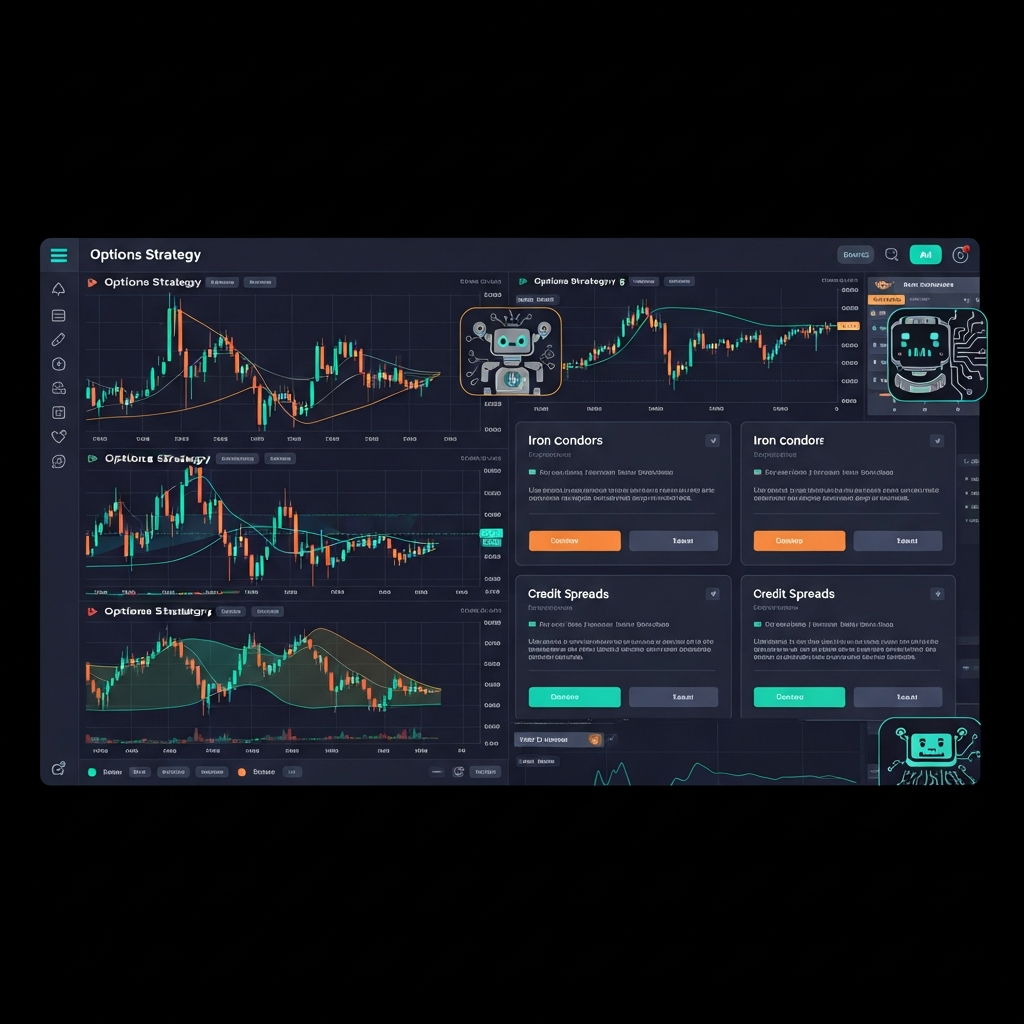
Skip hours of research. Our experts have tested dozens of trading bots so you don’t have to. Answer 6 quick questions and get a personalized recommendation based on your trading style and goals.”
Which trading bot actually works with a tastytrade account? That's the question this guide answers. Tastytrade has become one of the most popular brokers for active options traders thanks to its low commissions and open API, and a growing number of automation platforms now plug directly into it. Below is a breakdown of the six most established options, what each one is actually good at, and how to pick the right one for your account size and strategy.
Quick Answer: Best Trading Bots for Tastytrade
If you only read one section, read this one.
1. Option Alpha — Best for no-code automation of full options strategies
Deepest native tastytrade integration with one-click account link, visual bot builder, and a large template library for options-only traders.
2. TradersPost — Best for turning TradingView or TrendSpider alerts into live tastytrade orders
Sits between your charting platform and your broker — supports stocks, options, and futures via webhook automation.
3. TradeSteward — Best for risk-managed automation of multi-leg strategies
Purpose-built risk controls for iron condors and credit spreads, with per-bot pricing that scales with usage.
4. OptionBots — Best for running a large number of concurrent no-code strategy bots
15–100 simultaneous bots depending on plan; funds stay in your own brokerage account throughout.
5. QuantConnect — Best for developers who want to code and backtest custom strategies
Institutional-grade historical data, Python/C# strategy code, and direct live deployment to a tastytrade account.
6. tastytrade Open API (DIY) — Best for developers who want full control and zero platform fees
Full read/write API access with unofficial Python SDKs — you build, host, and maintain your own bot at no subscription cost.
Each of these connects to a real tastytrade brokerage account — none require you to move funds to a third-party custodian.
Methodology
This ranking was built around five criteria that matter most for someone choosing automation on tastytrade specifically: direct broker compatibility (does it connect natively, and how), strategy support (single-leg vs. multi-leg options, stocks, futures), pricing structure, ease of setup for non-coders vs. developers, and the depth of risk controls available once a bot is live.
Sources consulted include each platform's official documentation and pricing pages, tastytrade's own developer API documentation, and public reviews and community discussion from options trading forums. No claim in this article is based on a paid placement — pricing and features were pulled directly from vendor sites and may change; always confirm current terms before connecting a live account.
Author: TradingBotExperts research team | Last updated: July 21, 2026
Comparison Table
Tool
Best For
Strength
Limit
Pricing
Option Alpha
No-code full-strategy automation
Deepest native tastytrade integration, one-click account link, large template library
Options-focused only; no futures or crypto
Free tier; Pro from ~$39/mo
TradersPost
TradingView/TrendSpider signal automation
Works with any tool that fires a webhook; supports stocks, options, and futures
Free plan is paper-trading only; live trading requires a paid tier
Starter ~$49/mo, Pro ~$99/mo, Premium ~$199/mo
TradeSteward
Risk-managed multi-leg options automation
Purpose-built risk controls for spreads and condors; per-bot pricing scales with usage
Narrower focus than general-purpose platforms
From ~$4.99/mo per bot up to ~$139.99/mo
OptionBots
Running many concurrent bots
15–100 simultaneous bots depending on plan; funds stay in your own brokerage account
Newer platform with a smaller public strategy library than Option Alpha
Free tier; paid plans scale with bot count
QuantConnect
Custom-coded quant strategies
Institutional-grade historical data and backtesting; brokerage-agnostic code deploys live to tastytrade
Requires Python or C#; compute node costs add up for live strategies
Free backtesting; live plans from ~$60/mo plus compute node fees
tastytrade Open API
DIY developer bots
Full read/write access to real-time data and order execution; unofficial Python SDKs already exist
No graphical interface — you build, host, and maintain the whole bot yourself
Free (only your tastytrade brokerage account required)
Vendor Sections
Option Alpha
Best for: traders who want to automate a full options strategy — entry, adjustment, and exit — without writing code.
Option Alpha lets you build strategies visually using a flowchart-style bot builder, then connects that bot directly to your tastytrade account for live execution. The integration is unusually tight since tastytrade acquired Option Alpha in 2021, including one-click account authorization from the Trading Accounts settings tab. It also supports TradeStation, Tradier, and Schwab.
Limits: Built specifically for options strategies — not the right tool for automating stock or futures trades. The visual builder has its own learning curve.
Pricing: Free membership with core education and limited automation. Paid tiers start around $39/month for Pro, with an Elite tier for personalized support. Some account-linking promotions can reduce or waive the fee.
Choose if: you want the most native, best-supported tastytrade automation experience and your trading is options-only.
TradersPost
Best for: traders who already build and test signals in TradingView or TrendSpider and want those signals to place real orders in tastytrade.
TradersPost sits between your charting platform and your broker. You set up an alert or webhook in TradingView, TrendSpider, or a custom script, and TradersPost translates that signal into a live order in your tastytrade account. It supports stocks, options, and futures.
Limits: The free plan only supports paper trading, so live automation requires a paid subscription. You're dependent on the quality of your own TradingView or TrendSpider strategy.
Pricing: Starter plans run about $49/month for a single live broker connection with limited signal volume. Pro (~$99/month) and Premium (~$199/month) tiers raise broker connection limits and signal volume.
Choose if: your strategy already lives in TradingView or TrendSpider and you just need reliable execution into tastytrade.
TradeSteward
Best for: traders running multi-leg options strategies like iron condors, credit spreads, or the Wheel who want built-in risk management around each position.
TradeSteward is built around automating and protecting complex options positions rather than just entering trades. It supports tastytrade alongside Schwab, Tradier, and TradeStation, and its per-bot pricing model means you only pay for the number of automated strategies you're actually running.
Get the Top 5 Bots for Early Retirement report:
Limits: Narrower in scope than a general-purpose platform — built for options risk management first, not simple directional stock trades.
Pricing: Plans scale with the number of bots, starting as low as roughly $4.99/month per bot and running up to about $139.99/month for higher bot-count tiers. New subscribers typically get a short free trial.
Choose if: your priority is protecting capital on multi-leg options trades as much as automating entries.
OptionBots
Best for: traders who want to run a large number of no-code strategy bots simultaneously without hitting a low bot cap.
OptionBots is a visual, no-code bot builder for options traders that connects to tastytrade, Tradier, and TradeStation. Depending on plan, users can run 15 to 100 bots at once, and funds always remain in the user's own brokerage account rather than a pooled account.
Limits: As a newer entrant compared to Option Alpha, its public library of pre-built strategy templates is smaller, so more of the strategy design work falls on the user.
Pricing: A free tier is available to start, with paid plans priced according to how many concurrent bots you need to run.
Choose if: you're running many small, differentiated strategies at once and need bot capacity more than a big strategy marketplace.
QuantConnect
Best for: developers or quant-minded traders who want to write, backtest, and optimize their own strategy code before deploying it live to a tastytrade account.
QuantConnect is a cloud-based algorithmic trading platform supporting Python and C#, with deep historical data across asset classes and brokerage-agnostic code. Live tastytrade integration lets you deploy a backtested strategy directly to a real account.
Limits: Not a no-code tool — requires comfort writing and debugging strategy code. Live deployment requires paying for compute nodes on top of the subscription.
Pricing: Backtesting is free with no time limit. Live trading plans start around $60/month for the Researcher tier, plus separate backtesting and live compute node fees ranging from about $14/month to $1,000/month depending on resources.
Choose if: you have (or want to learn) coding skills and care more about backtest rigor and long-term flexibility than an out-of-the-box interface.
tastytrade Open API (DIY)
Best for: developers who want to build a fully custom bot with no platform subscription fee at all.
tastytrade publishes an open API with full read and write access to real-time market data, order execution, and portfolio management across equities, options, futures, and crypto. Unofficial community SDKs already exist, including asynchronous Python wrappers.
Limits: No dashboard, no visual builder, no support team beyond community forums and documentation. You're responsible for hosting the bot, handling authentication token refreshes, and building your own risk controls from scratch.
Pricing: Free — the only cost is your tastytrade brokerage account itself.
Choose if: you're a developer who wants zero recurring platform fees and total control over the code running your trades.
Decision Framework
Choose Option Alpha if you trade options exclusively and want the most mature, deeply integrated no-code automation available on tastytrade today.
Choose TradersPost if your strategy is already built in TradingView or TrendSpider and you need a bridge to route those signals into live tastytrade orders.
Choose TradeSteward if your main concern is managing risk on multi-leg options positions rather than simply automating entries.
Choose OptionBots if you want to run many small bots at once without paying for a low bot-count ceiling.
Choose QuantConnect if you have coding ability and want institutional-grade backtesting before your strategy ever touches live money.
Choose the tastytrade Open API directly if you're a developer who wants full control and no subscription cost, and can maintain your own infrastructure.
Avoid all of these if you're not yet comfortable with options mechanics generally — automation speeds up execution of a strategy, it does not supply the strategy itself. Every platform above still requires you to define the rules; none of them "figure out" profitable trades on their own.
Proof and Data Points
Tastytrade acquired Option Alpha in 2021, which is why the integration between the two remains the most tightly coupled pairing in this comparison — Option Alpha's own product pages describe one-click authorization directly from tastytrade account settings. QuantConnect's tastytrade brokerage integration is documented directly in QuantConnect's own platform documentation, confirming live deployment support alongside its existing backtesting infrastructure. tastytrade's Open API is described on tastytrade's own developer site as providing full read and write access across equities, options, futures, and crypto — the same underlying access every third-party bot on this list ultimately depends on.
Does tastytrade have its own built-in trading bot?
No. Tastytrade provides an open API that developers and third-party platforms use to build automation, but the broker itself doesn't ship a native bot-building interface. Tools like Option Alpha, TradersPost, TradeSteward, and OptionBots exist specifically to fill that gap for non-developers.
Is it safe to connect a trading bot to my tastytrade account?
Every platform in this comparison connects via authorized API access and keeps your funds in your own tastytrade account rather than moving them to a pooled account. That said, you're still trusting a third party with order-placing permissions, so review each platform's security practices and start with a small position size or paper trading before committing real capital.
What's the cheapest way to automate tastytrade trading?
The tastytrade Open API is free if you're a developer willing to build and maintain your own bot. Among managed platforms, TradeSteward's per-bot pricing (starting around $4.99/month) is typically the lowest entry point for a single automated strategy.
Can I automate stock and futures trades on tastytrade, or only options?
Option Alpha and TradeSteward are options-focused. TradersPost, QuantConnect, and the tastytrade Open API all support stocks and futures in addition to options, so they're better fits if your automation needs go beyond options strategies.
Do I need to know how to code to automate trading on tastytrade?
No. Option Alpha, TradersPost, TradeSteward, and OptionBots are all built as no-code or low-code platforms. QuantConnect and the raw tastytrade Open API do require programming ability, typically in Python or C#.
This post reflects independent research and is accurate as of July 21, 2026. TradingBotExperts.com is an independent review site; some links may be affiliate links.
Free Report
Before You Choose a Bot, Read This
Get our free Top 5 Bots for Early Retirement report plus The Bot Report newsletter — the bots we'd actually trust to compound over the long term.
Written by
Marcus Feldman
11 min read
Marcus Feldman is a former proprietary trader turned researcher who reviews trading bots and brokers with a focus on risk management and real-world execution.
How to Choose the Best Trading Bots for Your Strategy
Take our free quiz to show how to pick bots that actually work for you
Get My Free Bot Report
Get Our Expert Bot Recommendation
Skip hours of research. Our experts have tested dozens of trading bots so you don’t have to. Answer 6 quick questions and get a personalized recommendation based on your trading style and goals.”
Join The Bot Report newsletter and get our free guide to the five trading bots most likely to help you retire early — backed by real reviews and verified performance.