Skip hours of research. Our experts have tested dozens of trading bots so you don’t have to. Answer 6 quick questions and get a personalized recommendation based on your trading style and goals.”
What Is a Trading Bot API? How to Connect and Automate Like a Pro
Every time a trading bot places an order, cancels a position, or pulls live price data, it does so through an API. Understanding what a trading bot API is and how it works is fundamental to getting the most out of any automated trading platform — whether you are a complete beginner or an experienced developer building custom integrations.
What Is an API?
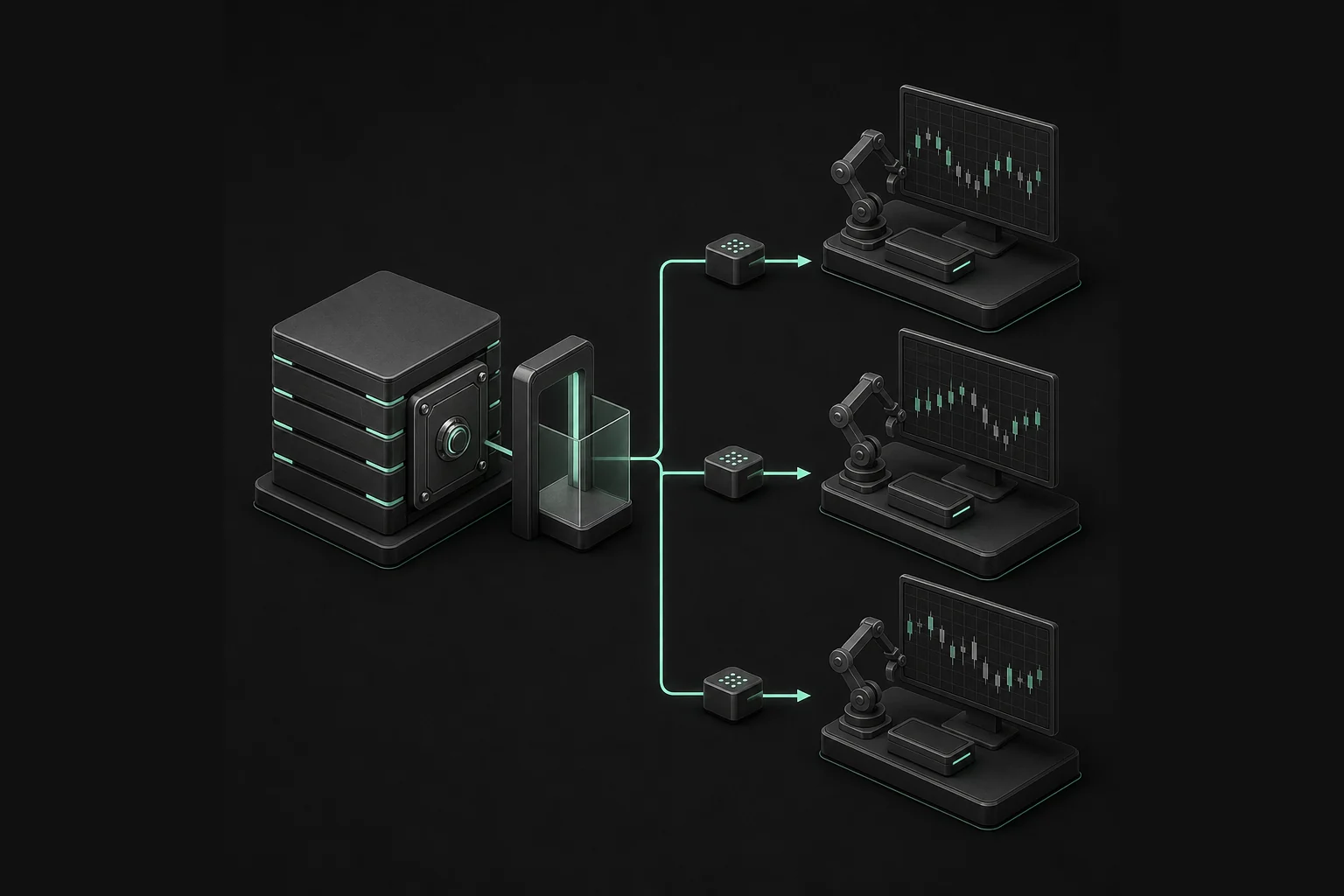
API stands for Application Programming Interface. In plain terms, it is a set of rules and protocols that allows two software systems to communicate with each other. When your trading bot sends a buy order to Binance or Interactive Brokers, it is using that exchange's API to transmit the instruction, receive confirmation, and pull back account and market data. The API acts as the bridge between your bot and the exchange.
How Does a Trading Bot API Work?
Most trading APIs follow a request-response model. Your bot sends an HTTPS request to the exchange's server with specific parameters — for example, buy 0.5 BTC at market price. The exchange processes the request, executes the order if conditions are met, and returns a response confirming the result. This entire process typically takes milliseconds. More advanced setups use WebSocket connections, which maintain a persistent, real-time data stream between your bot and the exchange rather than requiring a new request for each update.
API Keys: The Foundation of Every Connection
To connect a trading bot to an exchange or broker, you generate API keys from within your account settings on that platform. These keys come in two parts: a public key that identifies your account and a private secret key that authenticates requests. When you connect a third-party bot platform to your exchange, you provide these keys so the bot can act on your behalf. The critical security rule: never share your API secret key with anyone, store it securely, and always restrict the key permissions to only what the bot needs — typically read access and trading, never withdrawal permissions.
REST API vs. WebSocket API
REST APIs are the most common type used in trading. They work on a request-response basis and are ideal for actions like placing orders, checking balances, or pulling historical data. WebSocket APIs maintain an open connection and push data to your bot in real time without requiring repeated requests. For a bot monitoring live price feeds and order book depth, WebSocket is far more efficient. Many platforms offer both, and sophisticated bots often use REST for order management and WebSocket for market data.
API Rate Limits
Get the Top 5 Bots for Early Retirement report:
Exchanges impose API rate limits to prevent system overload. A rate limit defines how many requests your bot can make per second or per minute. If you exceed the limit, the exchange will temporarily block your requests. For most retail traders using pre-built bot platforms, rate limits are handled automatically. If you are building a custom bot, you need to build rate-limit handling into your code to avoid disruptions during active trading sessions.
Connecting Without Code
You do not need to be a programmer to use a trading API. Most bot platforms — including 3Commas, Cryptohopper, Pionex, and similar services — handle the API connection for you. You simply navigate to your exchange account, generate API keys, paste them into the bot platform's connection settings, and the platform manages all technical communication in the background. The bot becomes an authorized agent acting on your account.
Security Best Practices
Always enable IP whitelisting if the bot platform supports it, so your API keys can only be used from known addresses. Regularly rotate your API keys, especially if you suspect any exposure. Use separate API keys for different bots or strategies so you can revoke individual access without disrupting your entire setup. Never paste API keys into chat interfaces, emails, or any unsecured communication channel. Treat API credentials with the same care you would give to a bank login.
Common API Errors and How to Fix Them
New bot traders frequently encounter a handful of recurring API issues. An "invalid signature" error usually means the secret key was entered incorrectly or the system clock is out of sync. A "permission denied" error typically means the API key was not set up with trading permissions. A "rate limit exceeded" error means the bot is sending too many requests — reduce polling frequency or upgrade to a plan with higher limits. Keeping a log of API errors helps you diagnose and fix issues before they disrupt live trading.
The Bottom Line
The API is the engine underneath every trading bot. You do not need to understand every technical detail to use one effectively, but knowing the basics — how keys work, the difference between REST and WebSocket, and how to stay secure — gives you much greater confidence in your automation setup. Start by generating keys with read-only access, test the connection in paper trading mode, then gradually expand permissions as you build trust in your configuration. A well-connected, securely managed API is the foundation of reliable automated trading.
Free Report
Before You Choose a Bot, Read This
Get our free Top 5 Bots for Early Retirement report plus The Bot Report newsletter — the bots we'd actually trust to compound over the long term.
Written by
Lucas Tanaka
8 min read
The TradingBotExperts Editorial Team consists of traders, analysts, financial writers, and AI researchers with over a decade of combined experience in algorithmic trading and fintech. We produce research-driven content to help traders understand automated systems, evaluate trading bots, and navigate the evolving world of AI-powered investing.
How to Choose the Best Trading Bots for Your Strategy
Take our free quiz to show how to pick bots that actually work for you
Get My Free Bot Report
Get Our Expert Bot Recommendation
Skip hours of research. Our experts have tested dozens of trading bots so you don’t have to. Answer 6 quick questions and get a personalized recommendation based on your trading style and goals.”
Join The Bot Report newsletter and get our free guide to the five trading bots most likely to help you retire early — backed by real reviews and verified performance.